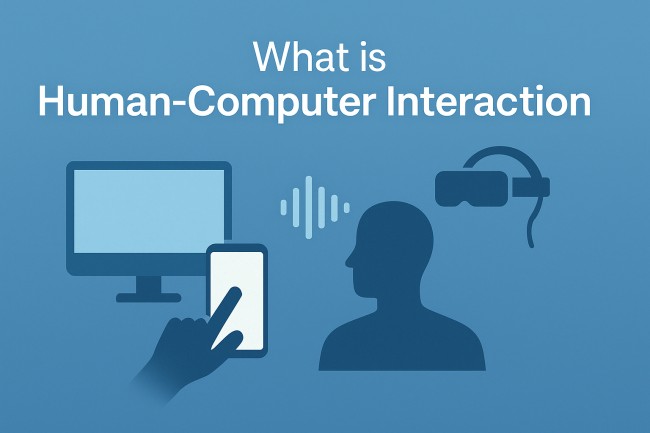
Screens blink. Fingers tap. Voices whisper commands into thin air and machines obey. In this always-connected digital universe, one quiet science acts as the bridge between human curiosity and computational logic — Human-Computer Interaction (HCI).
It doesn’t wear a cape, yet it shapes every click, swipe, pinch-to-zoom, eye-tracking gesture, and neural interface emerging from modern labs.
HCI stands at the crossroads where psychology meets computer science, where design collides with engineering, and where human behavior guides machine architecture. Without HCI, even the most powerful technology would sit useless, like rocket fuel with no ignition spark.
Let’s walk through the core layers of HCI and grasp the soul behind our seamless interaction with machines.
What Exactly is HCI?
Human-Computer Interaction (HCI) refers to the multidisciplinary field focused on designing, evaluating, and improving interactive systems, ensuring technology remains intuitive, efficient, and usable for people.
Every system where a human interacts with digital logic — from enterprise software dashboards to mobile apps, VR headsets, chatbots, ATMs, and wearables — falls under the HCI umbrella.
At its heart, HCI asks one direct question: How can digital systems serve humans better, without friction or confusion?
Not a trivial question. Not when billions interact with technology every day, across ages, cultures, skill levels, languages, and cognitive patterns.
The Goal — Why HCI Exists in the First Place
HCI does not exist to make screens pretty. Nor merely to reduce clicks. Its mission is deeper, sharper, and sometimes emotional.
HCI aims to create technology that is:
- Useful
- Usable
- Accessible
- Efficient
- Enjoyable
- Safe
- Inclusive
The end-goal? Deliver digital experiences where machines feel like extensions of human thought — not obstacles or puzzles.
The Backbone of HCI — Three Pillars
HCI balances three fundamental anchors. Remove one, the system collapses:
| Pillar | Focus Area |
|---|---|
| Humans | Psychology, cognition, behavior, memory, perception |
| Computers | Hardware, software, interfaces, systems |
| Interaction | Communication between human & machine |
Imagine designing a high-speed trading dashboard for finance executives. Without understanding human cognition, visual hierarchy, decision stress, and task flow, the system becomes a liability rather than a tool.
HCI ensures decisions feel natural and users remain empowered.
The Evolution of HCI — From Keyboards to Neural Links
Technology didn’t begin with multitouch screens and AI-powered assistants. HCI evolved through phases, each rewriting expectations of human-machine communication:
- Early Computing Era: Text commands, terminal screens, no icons, steep learning curves. Machines demanded users adapt.
- GUI Revolution (Graphical User Interface): Windows, icons, menus, mouse — computers finally spoke human language.
- Web & Mobile Explosion: Touchscreens, responsive layouts, personalization, user-centric design.
- Natural Interaction Systems: Voice assistants, gesture control, AR/VR, biometric systems.
- Future Interface Era (already unfolding): Brain-computer interfaces (BCI), AI-driven adaptive systems, multimodal UX, emotion-recognition interfaces.
HCI continuously evolves with society, culture, and psychological behavior.
Human Factors — The Mind Behind the Screen
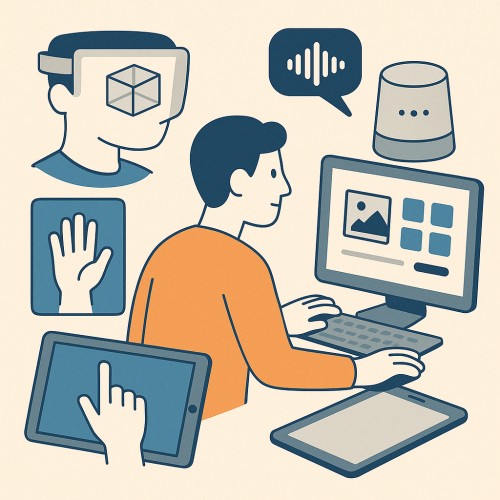
Machines compute fast but lack intuition. Humans hold intuition but forget passwords, mis-click when tired, and hate unclear feedback messages. HCI studies these human variables:
Cognitive Load
Can the brain process the information without stress?
Too many buttons → chaos.
Too much scrolling → frustration.
Attention Span
Interfaces must guide eyes like silent storytellers.
Memory & Recall
Human memory isn’t perfect. Interfaces help through autofill, hints, search bars, bookmarks.
Mental Models
People expect systems to behave based on past experience. Change behavior abruptly → confusion rises.
Design that respects human psychology wins trust.
Key Concepts and Principles in HCI
Several universal ideas steer HCI decisions:
- Usability: Ease of learning, efficiency in use, low error rate, user satisfaction.
- Feedback: Machines should acknowledge actions. A simple loading icon can calm impatience.
- Affordance: An object should suggest its use — a button must look like one.
- Mapping: Controls must reflect expected results. Swipe right → move forward, not backward.
- Consistency: Predictable patterns reduce cognitive strain and improve flow.
- Accessibility: Design for all — users with vision, hearing, motor, or cognitive differences matter. Accessibility isn’t charity; it’s responsibility.
- Error Prevention & Recovery: Good HCI prevents mistakes. Great HCI forgives them.
Tools & Techniques Used in HCI Research
HCI doesn’t rely on guesswork. It uses structured evaluation and testing methods:
- User Interviews
- A/B Testing
- Surveys & Persona Studies
- Eye-Tracking
- Wireframing & Prototyping
- Usability Testing
- Heuristic Evaluation
- Task Flow Mapping
- Cognitive Walkthroughs
Modern teams use tools like Figma, Sketch, Miro, heatmaps, telemetry dashboards, and UX analytics platforms to refine interaction models based on behavioral insight.
HCI Disciplines — It’s Bigger Than UX Design
Many confuse HCI with UI/UX design. UX is part of HCI, not the whole. HCI draws from:
- Computer science
- Psychology
- Neuroscience
- Industrial design
- Behavioral science
- Information architecture
- Visual design
- Ergonomics
- Linguistics (yes, commands matter)
HCI operates across software, hardware, speech, gesture, motion, and now biological signals.
HCI in Everyday Life — Silent Everywhere
- You wake up to a smartphone alarm. Swipe to silence.
- Voice-assistant sets your day reminders.
- Car touchscreen guides navigation.
- Smartwatch tracks heart rate.
- Banking app handles payments.
- AI chatbot answers service queries.
That’s HCI — whisper-quiet yet omnipresent. When done right, you never notice it. When broken, frustration spikes instantly.
Modern Trends Shaping HCI’s Future
HCI rapidly bends around advanced computing trends:
- AI-Driven Personalization: Systems adapting to behavior — predictive suggestions, custom dashboards.
- Voice-First Interfaces: Hands-free worlds powered by NLP.
- Augmented Reality & Virtual Reality: Interfaces moving from flat screens into immersive environments.
- Brain-Computer Interfaces: Typing by thought, medical recovery, adaptive accessibility tools.
- Emotion-Sensitive Interfaces: Cameras + AI reading stress, fatigue, mood — adjusting UX live.
- Multi-modal Interactions: Touch, voice, gesture, thought — simultaneously connected.
These innovations blur the line between machine and human presence.
Real-World Business Value of HCI
Executives love ROI. HCI isn’t design fluff — it’s a profit engine:
- Boosts user satisfaction → repeat use
- Reduces support cost → fewer errors and complaints
- Increases productivity → optimized workflows
- Raises conversion rates → smoother journeys
- Improves accessibility → larger audience reach
- Enhances brand trust → polished user experience
Products with good HCI become industry benchmarks. Products with poor HCI? They become case studies in failure.
Industry Examples — HCI Success in Action
- Apple perfected interaction simplicity; minimal buttons, intuitive gestures.
- Google Search — one input box; powerful backend intelligence.
- Tesla — slick automotive UI with centralized controls.
- Amazon — frictionless purchase journey reduces cognitive friction.
- Dyson hardware ≈ ergonomic excellence mapping human touch patterns.
The common thread? Respect for the user’s mind.
Skills Needed for HCI Professionals
HCI isn’t one job. It’s a cluster of roles:
- UX Researchers
- Interaction Designers
- Cognitive Computing Specialists
- Interface Engineers
- Product Designers
- Accessibility Specialists
- Information Architects
Required skills include:
- Research & analytical thinking
- Wireframing and prototyping
- Knowledge of human psychology
- Programming basics (optional but helpful)
- Data-driven decision-making
- Empathy and behavioral curiosity
Conclusion
Human-Computer Interaction isn’t merely a field. It’s the invisible scaffolding of digital life. It guides how technology respects human thought, emotion, time, and cognitive limits.
In an era where screens evolve into holograms and keyboards morph into neural signals, HCI becomes more critical, not less. It ensures technology bends toward human needs — not the other way around.
If innovation is the engine, HCI is the steering wheel. Without it, even the most powerful system risks driving off a cliff.
Tech races forward; HCI keeps the soul intact.
Also Read: